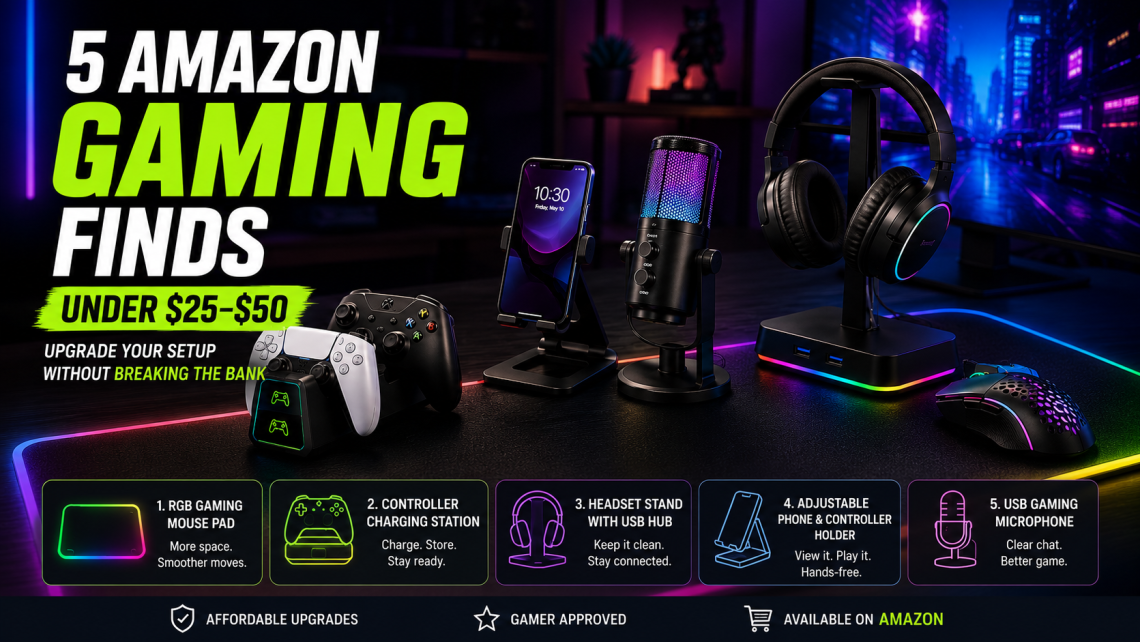
5 Amazon Gaming Finds Under $25–$50 That Are Actually Worth Buying
Building a better gaming setup doesn’t always mean buying a new graphics card, monitor, or expensive mechanical keyboard.
Some of the biggest improvements come from much smaller upgrades.
A better mouse pad can clean up your entire desk. A controller charging station eliminates cable clutter. Even something as simple as a headset stand can make a gaming setup feel noticeably more organized.
The good news?
You don’t necessarily need to spend hundreds of dollars.
We’ve narrowed it down to five Amazon gaming finds under $25–$50 that can make a real difference to your setup without turning into another gadget you forget about a week later.
Whether you’re gaming on PC, PlayStation, Xbox, or a combination of platforms, these affordable accessories are a smart place to start.
1. Extended RGB Gaming Mouse Pad
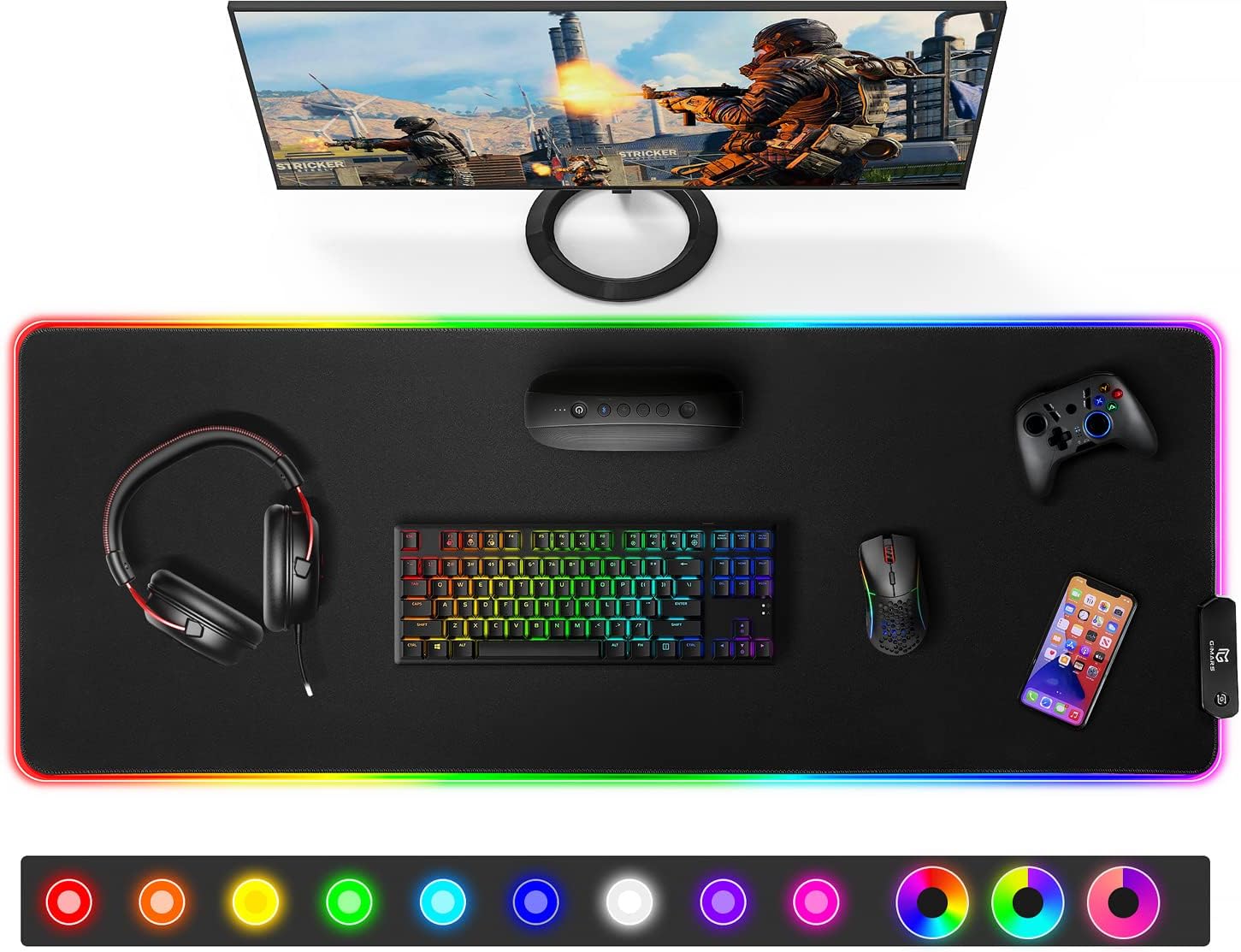
Best for: Upgrading your entire desk on a budget
A standard mouse pad does one job.
An extended gaming mouse pad can improve almost your entire desktop.
Large desk mats provide room for both your keyboard and mouse while creating a smoother, more consistent surface for movement.
Some versions also add RGB lighting around the edges, giving budget setups a more premium gaming aesthetic.
Why it’s worth considering
- Creates a cleaner-looking gaming desk
- Provides more mouse movement space
- Helps protect the desk surface
- Can reduce keyboard movement
- RGB versions add inexpensive ambient lighting
For competitive players using lower mouse sensitivity, the additional surface area can be particularly useful.
Our take: If your gaming desk still uses a tiny traditional mouse pad, this may be one of the cheapest ways to make the entire setup feel different.
2. Controller Charging Station

Best for: PlayStation and Xbox gamers
Few things are more annoying than sitting down to play and discovering that your controller battery is nearly dead.
A dedicated charging dock helps solve that problem while also giving controllers a permanent home when they’re not being used.
Instead of leaving controllers and charging cables scattered around the room, you simply return them to the dock.
Why gamers like them
A good charging station can offer:
- Convenient controller storage
- Less cable clutter
- Easy overnight charging
- Charging-status indicators
- A cleaner console setup
Just remember that controller compatibility matters.
A charging station designed for one controller generation may not work with another.
Our take: This is one of those accessories that feels unnecessary until you start using one. Then going back to loose charging cables feels surprisingly inconvenient.
3. Gaming Headset Stand With USB Hub

Best for: Keeping your gaming setup organized
Gaming headsets are awkward to store.
Leave one on your desk and it takes up valuable space.
Drop it on the floor and you’re asking for trouble.
A headset stand creates a dedicated place for your headphones, and models with built-in USB ports can add extra connectivity to the desk at the same time.
Look for features such as
- Stable weighted base
- USB ports
- Cable management
- RGB lighting if you want it
- Compatibility with larger headsets
Some models also include additional charging ports for phones and other accessories.
That makes the stand more than decoration.
It becomes part of your desk organization system.
Our take: Particularly useful for compact gaming desks where every bit of available surface space matters.
4. Adjustable Gaming Controller & Phone Holder

Best for: Multi-device gamers
Modern gaming isn’t limited to one screen.
You might play primarily on a console or PC while using your phone for Discord, walkthroughs, streaming controls, music, or game-related apps.
A compact adjustable stand gives that second screen a permanent position on your desk.
Depending on the design, some stands can also hold controllers or handheld gaming devices.
Why it makes sense
It’s useful for:
- Discord calls
- Watching gaming guides
- Mobile gaming
- Cloud gaming
- Keeping your phone visible while playing
- Displaying or storing controllers
And unlike many flashy gaming accessories, it occupies very little space.
Our take: Probably the simplest product here—but potentially one of the most frequently used.
5. USB Gaming Microphone

Best for: Multiplayer gaming and beginner streaming
If your teammates constantly complain about your microphone, upgrading your headset isn’t necessarily the only solution.
Entry-level USB microphones have become surprisingly accessible.
A compact desktop microphone can provide clearer voice communication for multiplayer gaming while also opening the door to streaming, Discord calls, voice recording, and content creation.
Features worth looking for
- USB connectivity
- Adjustable gain
- Mute control
- Stable desktop stand
- Cardioid pickup pattern
- Headphone monitoring where available
You don’t need a professional studio microphone just to sound better in Discord.
For many gamers, a simple USB model is enough.
Our take: Of the five products here, this can potentially provide the most noticeable functional upgrade—especially if you’re currently relying on a poor-quality built-in headset microphone.
Quick Comparison: Which Gaming Upgrade Makes the Most Sense?
| Gaming Find | Best For | Main Benefit |
|---|---|---|
| Extended Gaming Mouse Pad | PC gamers | Better desk surface |
| Controller Charging Station | Console gamers | Charging + organization |
| Headset Stand | Any setup | Less desk clutter |
| Phone/Controller Stand | Multi-device gamers | Better accessibility |
| USB Gaming Microphone | Multiplayer/streaming | Clearer communication |
There’s no reason to buy all five.
Choose the accessory that fixes the weakest part of your current setup.
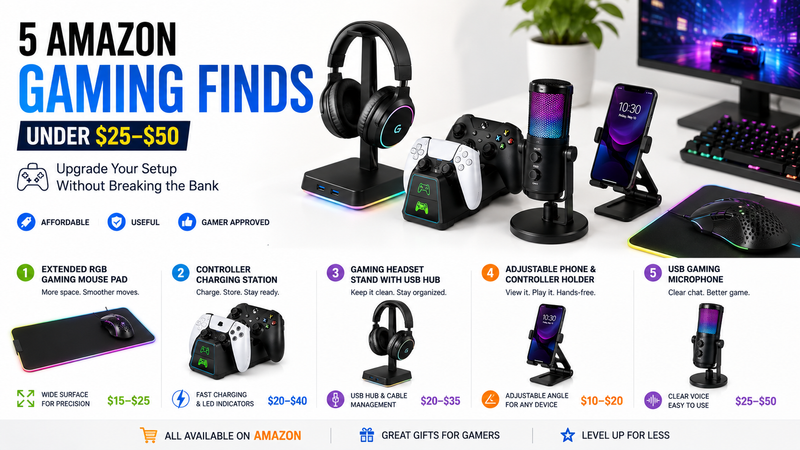
What Makes a Cheap Gaming Accessory Worth Buying?
Gaming is one of those categories where it’s incredibly easy to buy things simply because they look cool.
RGB lighting doesn’t automatically make something useful.
Before buying a budget gaming accessory, we use a simple three-part test.
1. Does It Fix Something Annoying?
Dead controllers?
Messy cables?
Nowhere to put your headset?
Poor microphone quality?
A good accessory should have an obvious purpose.
2. Will You Use It Every Gaming Session?
Frequency matters.
A $30 accessory you use every day may offer considerably better value than a $100 gadget you use twice.
3. Does It Improve the Setup Without Creating More Clutter?
This one is frequently overlooked.
Gaming accessories should make your setup easier to use—not fill every remaining inch of your desk.
Under $25 or Under $50: Where Should You Spend More?
Not every gaming accessory deserves the same budget.
For simpler accessories such as:
Mouse pads → $25 territory
Phone stands → $25 territory
Basic headset stands → $25 territory
Spending more doesn’t necessarily create a dramatically better experience.
But for products involving electronics, charging, or audio, moving closer to the $25–$50 range can make more sense.
That includes:
Controller charging stations
USB microphones
Powered USB accessories
In these categories, build quality and electrical reliability matter more than RGB effects.
Don’t Build a Gaming Setup for Instagram
There’s an important distinction between a gaming setup that looks good and one that works well.
You don’t need twelve RGB devices.
You don’t need a desk covered in accessories.
And you certainly don’t need every gadget that goes viral on social media.
Start with friction.
What annoys you every time you play?
Fix that first.
Then upgrade the next weakest part of the setup.
This approach usually creates a better gaming environment while spending considerably less money.
Final Verdict
If we had $50 or less to improve an existing gaming setup, we’d prioritize function over decoration.
For PC gamers, an extended mouse pad is an inexpensive starting point.
For console players, a controller charging station provides more everyday convenience.
For multiplayer gamers, putting the budget toward a USB microphone could create the biggest noticeable improvement.
The headset and phone stands sit somewhere in between: inexpensive accessories that primarily make the setup cleaner and easier to use.
That’s ultimately what the best Amazon gaming finds under $25–$50 should do.
Not transform your gaming ability overnight.
Just make the hours you already spend gaming a little better.
Frequently Asked Questions
What are the best Amazon gaming finds under $50?
Useful budget upgrades include extended gaming mouse pads, controller charging stations, headset stands, adjustable device holders, and entry-level USB gaming microphones.
Can you get good gaming accessories under $25?
Yes. Non-electronic accessories such as desk mats, stands, cable-management products, and controller holders often fall into the lower budget range. Prices on Amazon can change frequently.
What gaming accessory should I upgrade first?
Upgrade whatever causes the most frustration. PC gamers may benefit from a larger mouse surface, console gamers from better controller charging, and multiplayer players from improved microphone quality.
Are cheap gaming accessories worth buying?
Some are. Focus on practical products you’ll use regularly rather than accessories purchased primarily for appearance.
Are Amazon gaming accessories good gifts?
They can be, particularly when you know the recipient’s platform and setup. Check compatibility carefully before buying controller, charging, or platform-specific accessories.