Best Small Tech Accessories for Working From a Hotel Room
Build a productive hotel room workspace without carrying an entire office in your suitcase. These seven compact tech accessories solve the most common problems of working while traveling.
Hotel rooms are designed primarily for sleeping.
Working is usually an afterthought.
The desk is smaller than expected. The chair isn’t particularly comfortable. The lighting makes video calls look terrible, and your laptop suddenly feels like the least ergonomic device you own.
For business travelers, remote workers, and digital nomads, these small inconveniences can become surprisingly frustrating.
But the solution isn’t to carry more technology.
It’s to carry the right technology.
The best hotel room work setup accessories should improve productivity, comfort, and organization without taking up unnecessary luggage space.
In this guide, we’ll focus on seven compact accessories, explain which problems they solve, and build three practical workspace configurations based on different travel needs.
Quick Comparison: The Best Hotel Room Work Setup Accessories
| Accessory | Main Problem Solved | Best For | Priority |
|---|---|---|---|
| Foldable laptop stand | Uncomfortable screen height | Extended laptop work | High |
| Compact Bluetooth keyboard | Poor typing position | Writing and office work | High |
| Silent wireless mouse | Trackpad fatigue and clicking noise | Everyday productivity | High |
| Compact USB-C hub | Limited laptop connectivity | Business travelers | Medium |
| Clip-on video conference light | Poor hotel room lighting | Online meetings | Medium |
| Portable travel router | Limited network flexibility | Frequent remote workers | Conditional |
| Reusable cable management straps | Desk clutter | All travelers | High |
You don’t necessarily need all seven.
Your ideal setup depends on how long you work, what your job involves, and how much desk space you have.
1. Foldable Laptop Stand — The Biggest Ergonomic Upgrade
Best for: Travelers spending several hours a day working on a laptop.
A laptop sitting directly on a hotel desk often encourages you to look downward for extended periods.
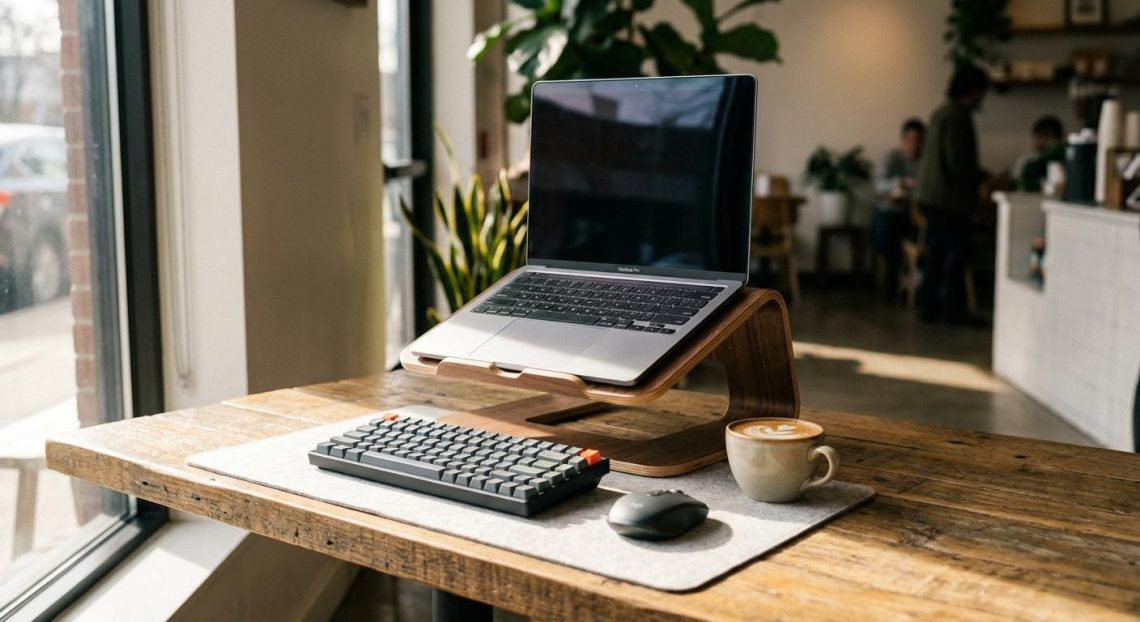
A compact folding stand can raise the screen and help create a more comfortable viewing position.
Unlike a permanent desktop stand, a travel-friendly version folds into a narrow shape that can fit inside a laptop sleeve or carry-on bag.
What to look for
- Adjustable height and angle.
- Stable construction.
- Compatibility with your laptop’s dimensions and weight.
- Non-slip contact surfaces.
- A compact folded design.
Products worth comparing
- Nulaxy foldable laptop stands.
- Roost V3 Laptop Stand.
- Nexstand K2 Laptop Stand.
The important difference between these designs is not simply appearance. Stability, adjustment range, and folded dimensions matter more when traveling.
When you should skip it
If you only use your laptop for checking emails or completing a few short tasks, a separate stand may not justify the additional luggage space.
Shop&World Tip: Raising your laptop screen also raises its keyboard. For extended work, pair the stand with an external keyboard and mouse rather than typing continuously on the elevated laptop.
2. Compact Bluetooth Keyboard — A Better Typing Position
Best for: Writers, developers, consultants, and travelers working with documents.
A compact wireless keyboard makes much more sense when combined with a laptop stand.
It allows you to position the laptop screen independently from your hands.
This is particularly useful in hotel rooms where the desk and chair cannot be adjusted.
What to look for
Choose a keyboard with a layout you already feel comfortable using.
Consider battery life, device compatibility, key spacing, and whether you need to switch between a laptop, tablet, and smartphone.
A keyboard without a dedicated number pad generally occupies less desk space.
Products worth comparing
- Logitech Pebble Keys 2 K380s.
- Logitech MX Keys Mini.
- iClever BK08 folding Bluetooth keyboard.
A folding keyboard prioritizes portability, while a conventional compact keyboard may provide a more familiar typing experience.
Neither design is automatically better.
When you should skip it
If your work primarily involves browsing, occasional emails, or short video calls, your laptop’s built-in keyboard may be sufficient.
Shop&World Tip: Avoid buying an unfamiliar keyboard layout immediately before an important business trip. Test it at home first.
3. Silent Wireless Mouse — Small Accessory, Everyday Value
Best for: Travelers working with spreadsheets, presentations, websites, or design software.
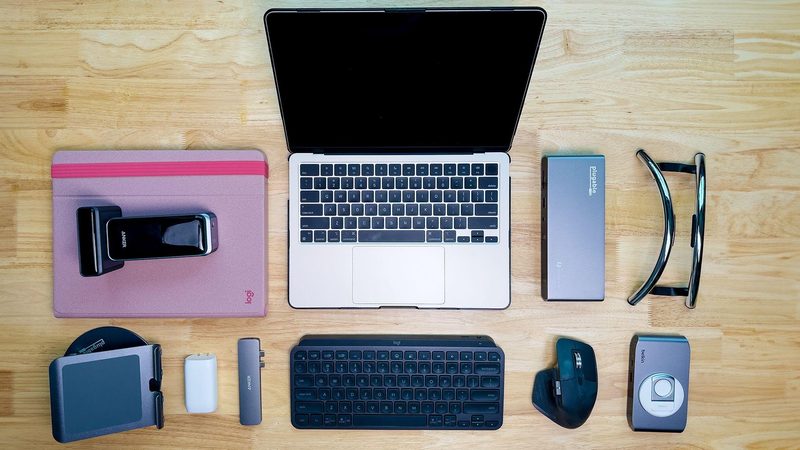
A laptop trackpad works well for many tasks.
But when you’re editing spreadsheets, selecting text, organizing files, or navigating complicated software interfaces, a separate mouse can be more convenient.
A compact silent-click mouse also makes sense when sharing a hotel room with someone who is resting.
What to look for
- Bluetooth connectivity or a compatible wireless receiver.
- Comfortable shape.
- Quiet buttons.
- Reliable tracking.
- Convenient battery or charging system.
Products worth comparing
- Logitech Pebble Mouse 2 M350s.
- Logitech M240 Silent Bluetooth Mouse.
- Microsoft Bluetooth Mouse.
Ultra-slim mice are easier to pack, but their shape may be less comfortable during extended work.
A slightly larger mouse can be a better choice if you use it for several hours every day.
When you should skip it
If you’re comfortable completing your work with a trackpad, don’t buy a mouse simply because it appears on a travel productivity checklist.
Shop&World Tip: Bluetooth models can eliminate the need to carry a separate USB receiver, provided your laptop supports them.
4. Compact USB-C Hub — More Connections Without a Desktop Dock
Best for: Business travelers who regularly connect external devices.
Many modern laptops have a limited selection of physical ports.
That becomes inconvenient when you need to connect a USB drive, presentation display, wired accessory, or memory card.
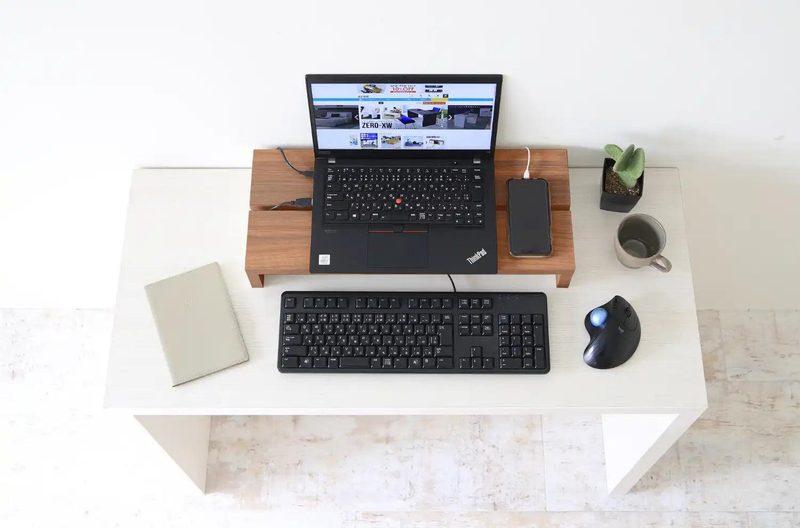
A small USB-C hub can provide additional connectivity without requiring a full-size docking station.
What to look for
Choose the ports you actually use.
These might include:
- USB-A for older accessories.
- HDMI for presentations.
- USB-C power delivery passthrough.
- SD or microSD card readers.
- Ethernet for compatible wired networks.
Products worth comparing
- Anker 555 USB-C Hub (8-in-1).
- UGREEN Revodok 105 USB-C Hub.
- Satechi USB-C Slim Multi-Port Adapter.
A hub with more ports isn’t necessarily a better travel accessory.
If you only need HDMI and one USB-A connection, a smaller model may be more practical.
The compatibility issue
Not every USB-C port supports the same features.
Video output, data transfer speeds, and charging capabilities depend on both your laptop and the hub.
Power delivery passthrough also does not mean that the full advertised input wattage will necessarily reach your laptop.
Check the specifications for your exact devices.
Shop&World Tip: Test your laptop, hub, charger, and presentation connection together before leaving home. Don’t discover a compatibility problem in a meeting room.
5. Clip-On Video Conference Light — Better Calls Without Studio Equipment
Best for: Remote workers attending frequent video meetings.
Hotel room lighting is often designed to create a relaxing atmosphere.
That doesn’t necessarily make it suitable for video calls.
A bright window behind you can leave your face in shadow, while warm bedside lamps may provide uneven illumination.
A small adjustable video conference light can help improve visibility without requiring a full-size lighting setup.
What to look for
- Adjustable brightness.
- Adjustable color temperature.
- Diffused light.
- A secure mounting system.
- Rechargeable battery or convenient USB power.
Products worth comparing
- Logitech Litra Glow.
- Lume Cube Video Conference Lighting Kit.
- Ulanzi VL49 LED Video Light.
These products use different mounting arrangements and power systems. Check whether the design is practical for your laptop and travel bag.
Try this before buying anything
Move your laptop so that you face the hotel window.
Natural daylight can provide suitable illumination during daytime meetings.
A dedicated light becomes more valuable when you work at night, attend meetings across time zones, or stay in rooms with limited natural light.
Shop&World Tip: A small light positioned slightly above or beside the screen can be more useful than an oversized ring light that takes up half the desk.
6. Portable Travel Router — Useful for the Right Traveler
Best for: Frequent remote workers who need greater control over their travel network setup.
Hotel internet can vary considerably between properties.
Some rooms have strong Wi-Fi. Others have weak coverage, connection limits, or login pages that make connecting several devices inconvenient.
A travel router may help create a more consistent local network for your devices when the hotel’s connection and policies allow it.
Products worth comparing
- GL.iNet Beryl AX (GL-MT3000).
- GL.iNet Slate AX (GL-AXT1800).
- TP-Link TL-WR1502X.
Depending on the model, travel routers may support Wi-Fi repeater modes, Ethernet connections, or VPN client functionality.
What a travel router cannot do
It cannot automatically make a slow hotel internet connection fast.
It cannot guarantee compatibility with every hotel login system.
And it cannot provide mobile internet independently unless it supports an appropriate cellular connection or another internet source.
This is why a travel router and a mobile hotspot are not the same product.
Singapore travel example
Imagine a remote worker traveling from Singapore to Tokyo, Seoul, or London.
Someone staying in several hotels and regularly connecting a laptop, phone, and tablet may appreciate a familiar network configuration.
However, a traveler staying in one hotel for a short business trip may find the existing Wi-Fi and a mobile data backup sufficient.
Shop&World Tip: Check your employer’s network security requirements and the hotel’s internet policies before using a travel router. For important work, prepare an alternative connection.
7. Reusable Cable Management Straps — The Smallest Upgrade on This List
Best for: Anyone who regularly packs and unpacks electronic accessories.
You don’t need a complicated cable management system in a hotel room.
You need your cables to remain accessible, organized, and easy to pack when you leave.
Reusable hook-and-loop straps or compact magnetic cable organizers can help keep charging and peripheral cables together.
What to look for
- Reusable fastening.
- Suitable length for your cables.
- Lightweight construction.
- Easy removal and adjustment.
Products worth comparing
- VELCRO Brand ONE-WRAP cable ties.
- Nite Ize Gear Tie reusable rubber twist ties.
- Anker magnetic cable holders.
Simple reusable straps may be more versatile than adhesive desk organizers, particularly when you move between hotels.
Avoid attaching permanent adhesive accessories to hotel furniture.
Why this accessory matters
Cable organization isn’t only about appearance.
It can help reduce the time spent searching for accessories and make it easier to notice when something is missing during checkout.
Shop&World Tip: Use different colored straps to distinguish laptop charging cables, phone cables, and peripheral connections.
How to Build a Hotel Room Workspace on a Small Desk
A productive travel workspace doesn’t need to resemble a permanent home office.
The following configurations use three illustrative desk sizes to demonstrate how accessories can be selected according to available space.
These are planning examples, not measurements taken from specific hotels.
Setup A: The 60 × 40 cm Minimal Workspace
Best for: Short business trips and light laptop work.
Available desk area: 0.24 square meters.
| Item | Include? |
|---|---|
| Laptop | Yes |
| Compact mouse | Optional |
| Laptop stand | Optional |
| External keyboard | Usually skip |
| USB-C hub | Only if required |
| Video light | Only for important calls |
Place the laptop centrally and keep the charger and unnecessary accessories away from the main working surface.
For short work sessions, simplicity matters more than recreating a complete office.
Setup B: The 80 × 45 cm Productivity Workspace
Best for: Several hours of daily laptop work.
Available desk area: 0.36 square meters.
| Item | Include? |
|---|---|
| Laptop | Yes |
| Foldable laptop stand | Yes |
| Compact keyboard | Yes |
| Wireless mouse | Yes |
| Cable management straps | Yes |
| USB-C hub | If required |
Position the laptop stand toward the back of the desk.
Keep the keyboard and mouse within comfortable reach.
Place the hub and charging cables to one side rather than spreading them across the typing area.
This setup provides a more organized working arrangement without requiring an external monitor.
Setup C: The 100 × 50 cm Remote Work Workspace
Best for: Longer hotel stays and frequent video meetings.
Available desk area: 0.50 square meters.
| Item | Include? |
|---|---|
| Laptop and stand | Yes |
| Compact keyboard | Yes |
| Wireless mouse | Yes |
| USB-C hub | As needed |
| Video conference light | If lighting is inadequate |
| Travel router | If network requirements justify it |
| Cable management straps | Yes |
With more space, you can separate the typing area from your connectivity and charging equipment.
However, avoid adding accessories merely because there is room for them.
The goal is a functional workspace, not a desk filled with technology.
Planning note: Actual fit depends on laptop size, stand footprint, keyboard dimensions, desk lamps, available outlets, and other furniture.
How Much Desk Space Do Your Accessories Actually Need?
Consider an illustrative setup using the following approximate dimensions.
| Item | Example Footprint |
|---|---|
| Laptop stand | 25 × 25 cm |
| Compact keyboard | 28 × 12 cm |
| Wireless mouse | 10 × 6 cm |
| USB-C hub | 12 × 4 cm |
These four items have a combined nominal footprint of approximately 1,069 square centimeters.
On an 80 × 45 cm desk, that represents roughly 30% of the total surface area.
However, this calculation does not include the laptop’s overhang, mouse movement, cable clearance, or comfortable hand positioning.
That is why footprint calculations are useful for initial planning but cannot replace checking the actual layout.
Shop&World Tip: Measure your accessories at home and arrange them inside an imaginary hotel desk boundary before packing.
You may discover that your existing equipment is already compact enough.
Which Accessories Should You Buy First?
Not every traveler has the same priorities.
| Your Main Problem | First Accessory to Consider |
|---|---|
| Looking down at your laptop all day | Foldable stand and external keyboard |
| Slow spreadsheet or document navigation | Wireless mouse |
| Poor appearance during video meetings | Compact video light |
| Missing laptop connections | USB-C hub |
| Complicated network requirements | Travel router |
| Messy cables and frequent packing | Reusable cable straps |
Start with the problem that affects your work most often.
For example, a software developer working six hours a day from a hotel room may benefit more from a stand, keyboard, and mouse than from a new travel router.
A consultant attending several online meetings may prioritize lighting and a reliable internet backup.
A traveler answering emails for twenty minutes each evening may need none of these upgrades.
Hotel Wi-Fi vs. Mobile Hotspot vs. Travel Router
Internet connectivity deserves a separate buying decision.
These three options solve different problems.
| Connection Option | Main Advantage | Main Limitation |
|---|---|---|
| Hotel Wi-Fi | Convenient existing connection | Performance and security vary |
| Smartphone hotspot | Alternative mobile connection | Depends on coverage, plan, and battery |
| Travel router | Greater local network flexibility | Still requires an internet source |
If your work involves sensitive information, follow your organization’s security requirements.
Use trusted connections, keep devices updated, and enable appropriate authentication and approved VPN services where required.
For important video meetings, test the connection before the scheduled call.
A fast-looking Wi-Fi connection doesn’t necessarily guarantee stable video conferencing.
The Five-Minute Hotel Room Work Setup
When you arrive at your hotel, avoid unpacking every electronic accessory immediately.
Follow this sequence instead.
Minute 1: Inspect the workspace
Check the desk, chair, available outlets, and lighting.
Minute 2: Position the laptop
Choose a comfortable viewing position. Add the laptop stand and external keyboard if needed.
Minute 3: Prepare connectivity
Connect to an appropriate network and check that your essential work services are accessible.
Minute 4: Organize power and accessories
Connect the necessary charger, hub, and peripherals. Keep cables away from your main working area.
Minute 5: Test your working environment
Open your work applications, check the microphone and camera, and make any necessary adjustments.
The objective is to identify problems before your workday begins.
What Not to Pack for a Hotel Room Office
A mobile workspace becomes less mobile when you try to reproduce your entire home office.
Think carefully before packing:
- Full-size mechanical keyboards.
- Large desktop docking stations.
- Multiple laptop chargers with overlapping functions.
- Oversized ring lights.
- External webcams when your built-in camera is adequate.
- Portable monitors without a specific productivity requirement.
- Multiple network devices that solve the same problem.
Some of these products can be valuable for particular travelers.
But they should earn their place in your luggage.
For a broader guide to avoiding unnecessary technology, read our article on How to Build a Carry-On Tech Kit Without Packing Duplicate Gadgets.
Final Verdict: The Best Hotel Room Office Is the One You Can Pack Easily
Working from a hotel room doesn’t require an expensive collection of gadgets.
It requires a workspace that fits your job, your luggage, and the available room.
For extended laptop work, a foldable stand, compact keyboard, and wireless mouse form a sensible starting point.
For business presentations, a suitable USB-C hub may be more important.
For frequent video meetings, lighting and connection reliability deserve additional attention.
And for travelers who move between hotels regularly, simple cable organization can make everyday packing easier.
Our recommendation is to build your setup around three priorities:
Comfort. Connectivity. Portability.
Buy accessories that solve problems you actually encounter.
Leave everything else at home.
A better hotel room workspace should make traveling easier—not give you another suitcase to carry.
Frequently Asked Questions
What are the best tech accessories for working from a hotel room?
A foldable laptop stand, compact keyboard, wireless mouse, and suitable charging equipment are useful starting points for extended laptop work. Other accessories depend on your connectivity and meeting requirements.
Do I need a laptop stand when traveling?
Not necessarily. A laptop stand is most useful when you spend extended periods working on a laptop. Pairing it with an external keyboard and mouse can help create a more comfortable arrangement.
Is a travel router worth buying for hotel stays?
It may be useful for frequent travelers who need a consistent local network configuration. However, it cannot guarantee faster internet or compatibility with every hotel network.
How can I improve hotel room lighting for video calls?
Try positioning yourself toward a window first. If natural light is unavailable or insufficient, a compact adjustable video light may help.
Can I use a USB-C hub with any laptop?
No. Compatibility depends on the laptop’s USB-C capabilities and the hub’s supported features. Check video output, data transfer, and power delivery requirements before purchasing.
How do I work comfortably at a small hotel desk?
Keep the main working surface clear, position your screen comfortably, use compact peripherals where appropriate, and take regular breaks during extended work.
Should I bring a portable monitor on a business trip?
Only if a second display provides a meaningful benefit for your work. A portable monitor adds weight, cables, and desk-space requirements.
Editorial disclosure: Product models are included as shopping research examples, not independently tested recommendations. Workspace dimensions and accessory footprints are illustrative planning assumptions. Confirm current product specifications, availability, and compatibility before purchasing.
Amazon Shop Links
Roost V3 Laptop Stand View on Amazon
Logitech Pebble Keys 2 K380s View on Amazon
Logitech M240 Silent View on Amazon
Anker 555 USB-C Hub View on Amazon
Logitech Litra Glow View on Amazon
GL.iNet Beryl AX View on Amazon
VELCRO ONE-WRAP View on Amazon