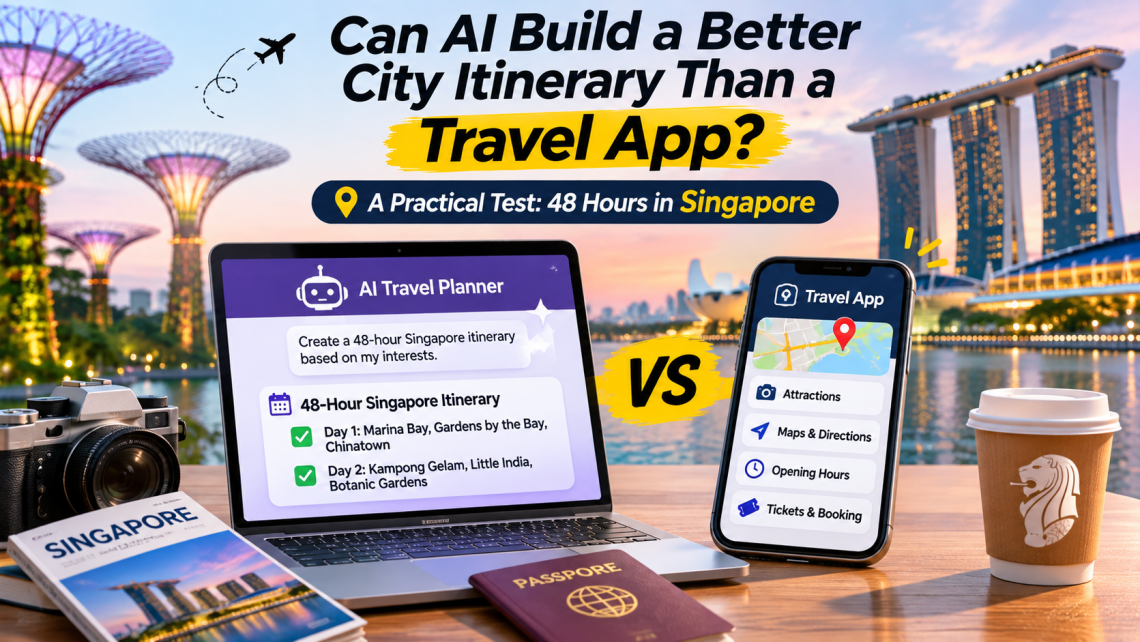
Can AI Build a Better City Itinerary Than a Travel App? A Practical Test
AI travel itinerary planners promise personalized trips in seconds. But can they outperform traditional travel apps when you have only 48 hours to explore a city? We put the planning methods side by side using Singapore as a practical case study.
You have 48 hours in a city you’ve never visited.
You want to see the famous attractions, discover a few local neighborhoods, eat somewhere memorable, and avoid spending half your vacation traveling back and forth.
There are two ways to build that itinerary.
You could open Google Maps, browse travel guides, save attractions, and organize everything yourself.
Or you could ask an AI travel itinerary planner to create the entire trip in seconds.
The second option sounds easier.
But easier doesn’t always mean better.
An AI-generated itinerary can look impressively organized while overlooking travel times, attraction opening hours, reservation requirements, or the simple fact that nobody wants to walk outdoors for six straight hours in tropical heat.
So which method makes more sense?
Let’s compare them using the same 48-hour Singapore itinerary.
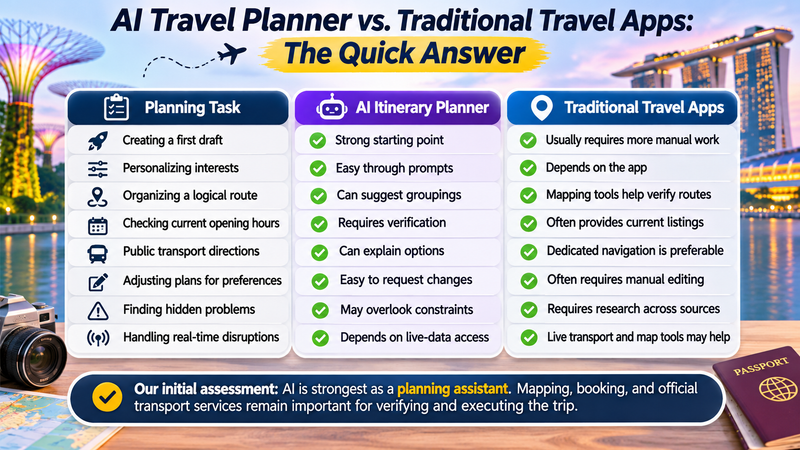
AI Travel Planner vs. Traditional Travel Apps: The Quick Answer
An AI travel planner is useful for turning preferences into a structured first draft.
Traditional travel apps are generally better suited to checking specific locations, navigation, transport options, and current operational details.
Neither approach is automatically sufficient on its own.
| Planning Task | AI Itinerary Planner | Traditional Travel Apps |
|---|---|---|
| Creating a first draft | Strong starting point | Usually requires more manual work |
| Personalizing interests | Easy through prompts | Depends on the app |
| Organizing a logical route | Can suggest groupings | Mapping tools help verify routes |
| Checking current opening hours | Requires verification | Often provides current listings |
| Public transport directions | Can explain options | Dedicated navigation is preferable |
| Adjusting plans for preferences | Easy to request changes | Often requires manual editing |
| Finding hidden problems | May overlook constraints | Requires research across sources |
| Handling real-time disruptions | Depends on live-data access | Live transport and map tools may help |
Our initial assessment: AI is strongest as a planning assistant. Mapping, booking, and official transport services remain important for verifying and executing the trip.
This is a structured planning comparison, not a claim that every AI or travel app performs identically.
The Test: Planning 48 Hours in Singapore
Singapore makes an interesting case study because it’s compact, highly connected, and full of attractions that appeal to different types of travelers.
But that doesn’t mean every itinerary is automatically practical.
A visitor might want to explore Marina Bay, Chinatown, Little India, Kampong Gelam, Gardens by the Bay, and Sentosa.
Trying to visit everything without considering geography, opening hours, and the weather could turn an exciting trip into an exhausting one.
Our traveler profile
For a fair comparison, we’ll use the same fictional traveler for both planning methods.
Trip duration: Two days, with approximately eight hours available for sightseeing each day.
Accommodation: A centrally located hotel near City Hall MRT.
Travelers: Two adults.
Interests: Architecture, local food, cultural neighborhoods, photography, and iconic attractions.
Budget: Moderate, with public transport preferred over taxis.
Travel pace: Comfortable, with regular breaks.
Special consideration: Avoid long outdoor walks during the hottest part of the day.
What we’re comparing
The objective isn’t to visit the maximum number of attractions.
It’s to create an itinerary that balances sightseeing, travel time, flexibility, and enjoyment.
We’ll examine five factors:
- Geographic efficiency.
- Personalization.
- Practical feasibility.
- Flexibility.
- Verification effort.
Testing limitation: The itineraries below are illustrative planning examples. We have not conducted a timed, live head-to-head test of specific app versions or verified every attraction’s operating hours for a particular travel date. The scorecard later in this article is designed for a reproducible test rather than presenting invented performance measurements.
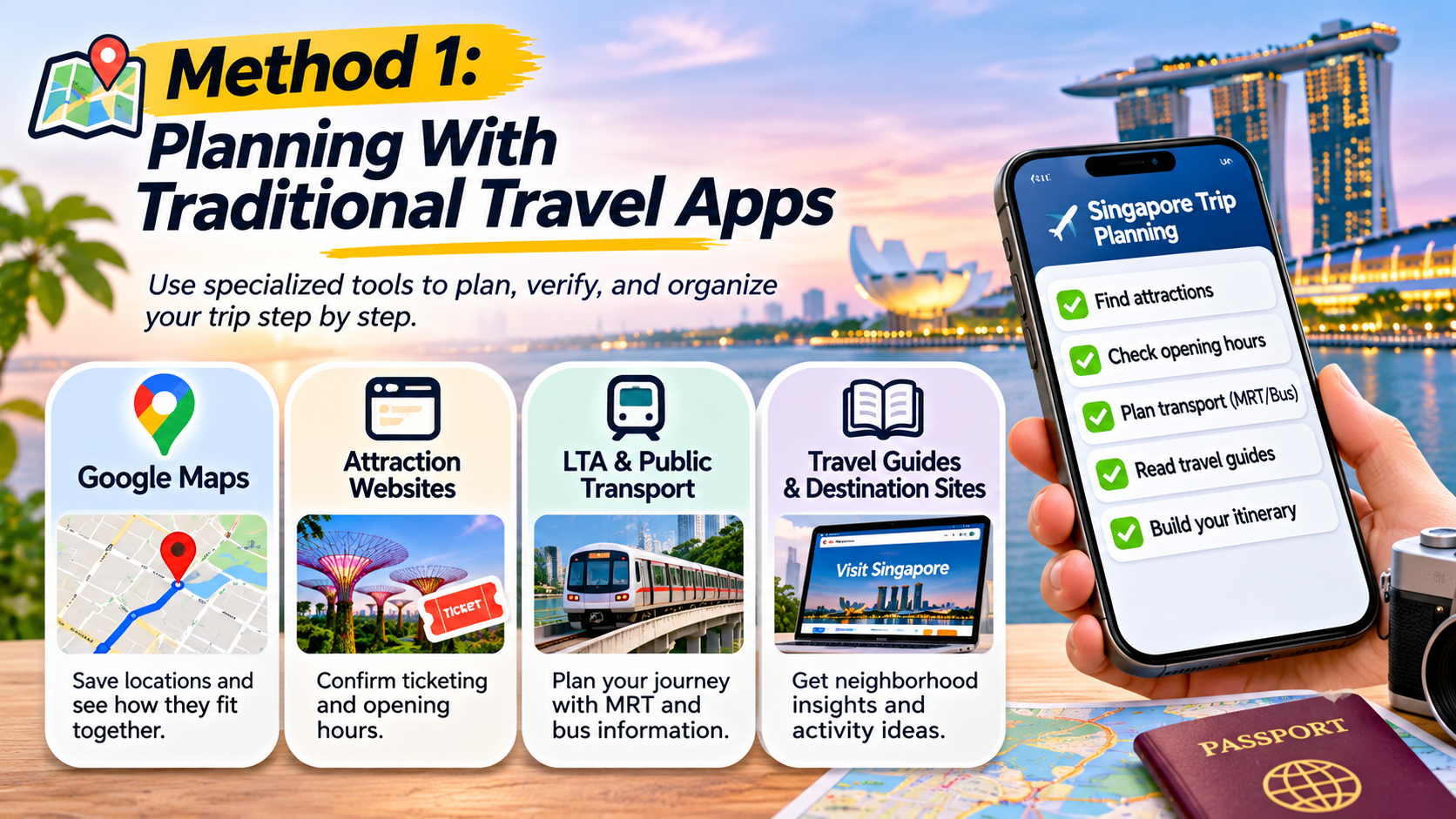
Method 1: Planning With Traditional Travel Apps
The traditional approach uses several specialized tools.
A traveler might use Google Maps to save locations and understand their geographic relationships.
Official attraction websites can help confirm ticketing and opening hours.
Singapore’s Land Transport Authority and public transport information services can help with MRT and bus planning.
Travel guides and destination websites provide context about neighborhoods and activities.
Step 1: Choose the attractions
Start with a shortlist:
- Marina Bay waterfront.
- Gardens by the Bay.
- Chinatown.
- Kampong Gelam.
- Little India.
- Singapore Botanic Gardens.
Then consider whether there is time for additional attractions.
Step 2: Group nearby places
Instead of arranging attractions by popularity, group them by geography.
Marina Bay and Gardens by the Bay naturally fit into one area-based sightseeing plan.
Chinatown can work as another compact neighborhood visit.
Kampong Gelam and Little India can be considered together, subject to transport and walking preferences.
Step 3: Check practical details
This is where traditional planning tools become valuable.
Confirm whether attractions are open on the intended dates.
Check whether tickets or reservations are necessary.
Look up realistic public transport routes.
Estimate how long each activity will take.
And leave space for meals, rest, and unexpected delays.
The advantage
You can verify each important detail as you build the itinerary.
The disadvantage
Planning requires switching between several websites and applications.
It’s also easy to collect too many attractions without creating a realistic schedule.
Shop&World Tip: Save your attractions on a map before arranging them into a daily schedule. Geographic clustering is often more useful than ranking places by popularity.
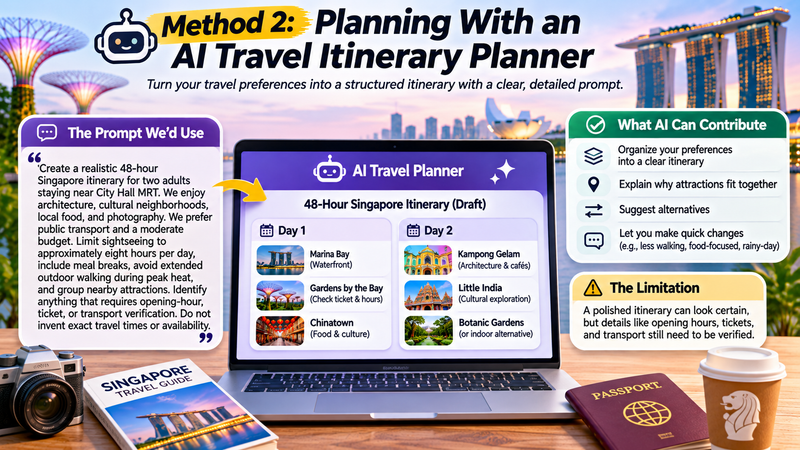
Method 2: Planning With an AI Travel Itinerary Planner
Now consider the AI approach.
Instead of manually building a schedule from scratch, you give the AI your destination, available time, interests, budget, and preferences.
A useful AI prompt should include more than the city name.
The prompt we’d use
“Create a realistic 48-hour Singapore itinerary for two adults staying near City Hall MRT. We enjoy architecture, cultural neighborhoods, local food, and photography. We prefer public transport and a moderate budget. Limit sightseeing to approximately eight hours per day, include meal breaks, avoid extended outdoor walking during peak heat, and group nearby attractions. Identify anything that requires opening-hour, ticket, or transport verification. Do not invent exact travel times or availability.”
This prompt does several important things.
It defines the traveler.
It establishes time limits.
It includes transportation preferences.
It tells the AI to consider Singapore’s climate.
And it explicitly asks the AI to identify uncertain information rather than presenting guesses as facts.
What AI can contribute
A capable AI planner can organize preferences into a readable itinerary, explain why attractions fit together, and propose alternatives.
You can also ask follow-up questions without rebuilding the plan manually.
For example:
“Make the itinerary less physically demanding.”
“Replace one museum with a food-focused activity.”
“Create a rainy-day alternative.”
“Remove anything that requires a long detour.”
The limitation
A polished AI response can create a false sense of certainty.
An itinerary may look perfectly structured even when individual details need checking.
That’s why the quality of an AI travel plan depends partly on the prompt—and partly on what happens after the response is generated.
A Practical 48-Hour Singapore Itinerary
Here’s a sample itinerary designed around the traveler’s stated preferences.
The schedule uses broad time blocks rather than pretending to know exact journey times or attraction availability.
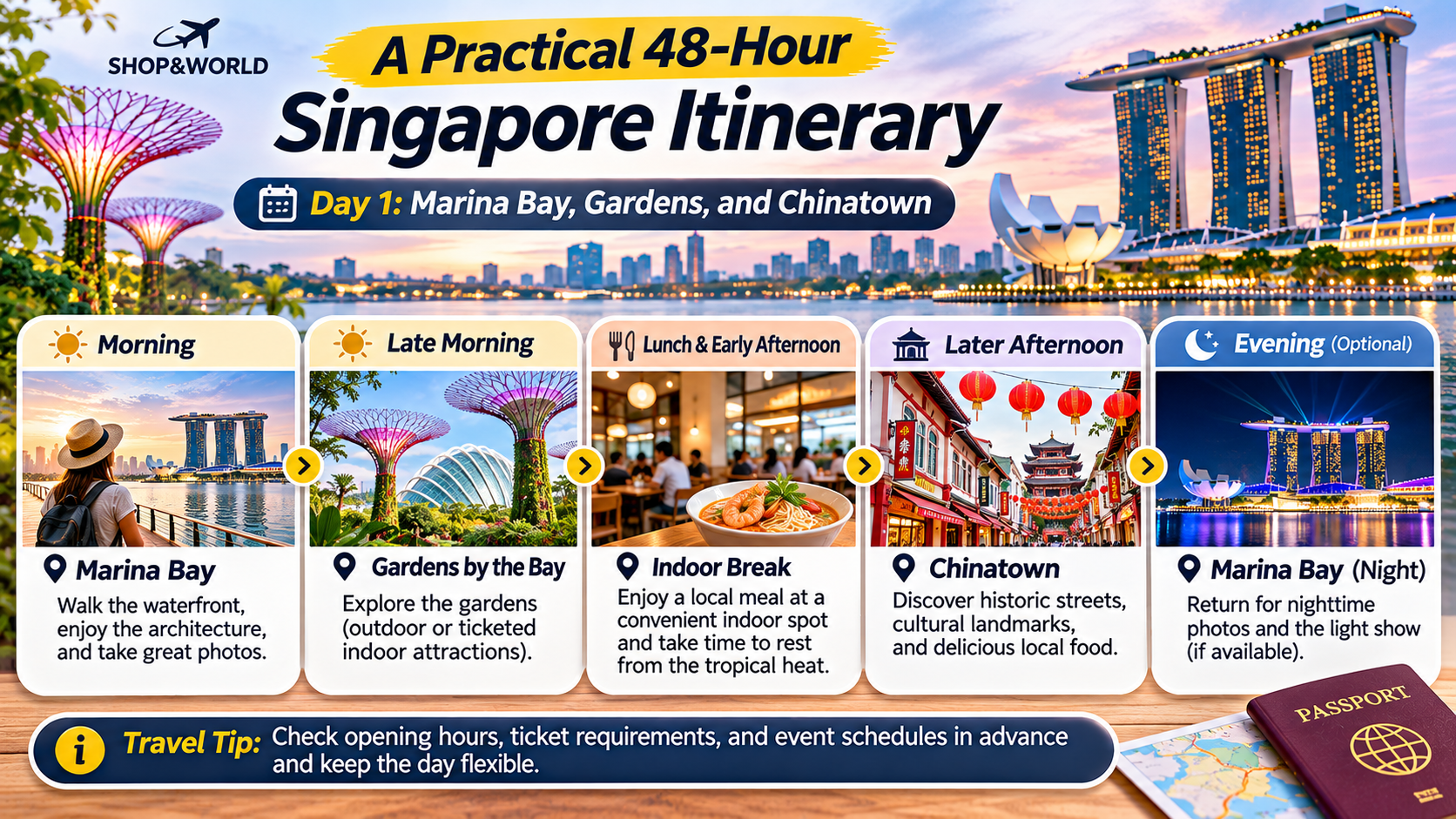
Day 1: Marina Bay, Gardens, and Chinatown
Morning — Marina Bay
Begin with a walk around the Marina Bay waterfront.
Enjoy the architecture, take photographs, and explore at a comfortable pace.
This provides an introduction to the city’s skyline without requiring several unrelated stops.
Late morning — Gardens by the Bay
Continue to Gardens by the Bay.
Depending on your interests, you might explore the outdoor gardens or choose a ticketed indoor attraction.
Check current admission arrangements and opening hours before your visit.
Lunch and early afternoon — Indoor break
Singapore’s tropical weather makes a midday break especially valuable.
Choose a convenient indoor lunch stop and allow time to rest.
Later afternoon — Chinatown
Explore Chinatown’s streets, cultural landmarks, and food options.
Keep the visit flexible rather than trying to include every nearby attraction.
Evening — Optional waterfront return
If you’re interested in nighttime photography, consider returning to the Marina Bay area.
Check current event and light-show schedules before planning around them.
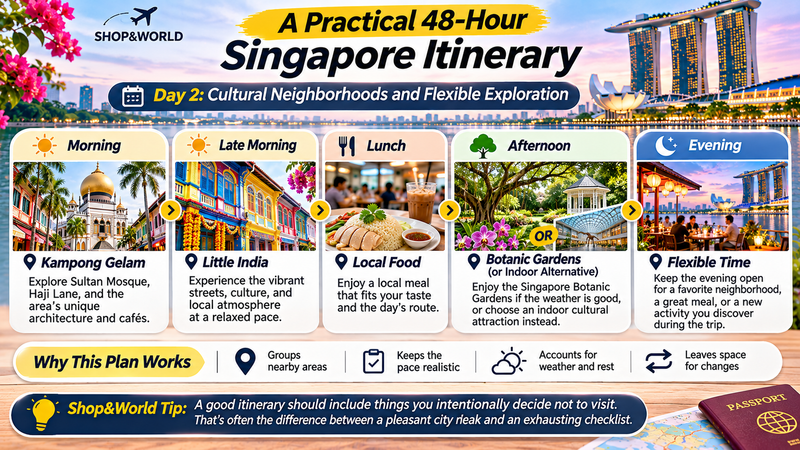
Day 2: Cultural Neighborhoods and Flexible Exploration
Morning — Kampong Gelam
Explore the neighborhood around Sultan Mosque, Haji Lane, and nearby streets.
Focus on the area’s architecture, cafés, and cultural atmosphere.
Late morning — Little India
Continue to Little India.
Allow time for the neighborhood rather than treating it as a quick photo stop.
Lunch — Local food
Choose a convenient dining location based on your appetite, preferences, and the day’s route.
Afternoon — Singapore Botanic Gardens or an indoor alternative
If the weather is comfortable, consider the Singapore Botanic Gardens.
If heavy rain or heat makes an extended outdoor visit less appealing, substitute an indoor cultural attraction.
This is a choice, not a requirement to visit both.
Evening — Flexible time
Leave the final evening open for a favorite neighborhood, a meal, or an activity you discovered during the trip.
Why this sample works as a planning starting point
It groups several attractions geographically.
It avoids presenting every major Singapore attraction as mandatory.
It accounts for rest and weather.
And it leaves space for changes.
But it still needs date-specific verification before someone relies on it.
Shop&World Tip: A good itinerary should include things you intentionally decide not to visit. That’s often the difference between a pleasant city break and an exhausting checklist.
The Comparison: Where Each Planning Method Helps Most
Rather than awarding fictional test scores, let’s examine what each method contributes to the same itinerary.
1. Geographic efficiency
Traditional maps make it easier to inspect actual distances and available routes.
AI can suggest sensible neighborhood groupings, but those suggestions should be checked.
Practical conclusion: Use AI to propose the grouping and maps to verify it.
2. Personalization
AI can incorporate detailed preferences in one request.
For example, a traveler might want vegetarian meals, minimal walking, architecture, and no expensive attractions.
Traditional planning can accommodate those preferences, but usually requires more manual filtering.
Practical conclusion: AI is particularly useful for producing a personalized first draft.
3. Practical feasibility
This includes opening hours, ticket availability, transport operations, and special closures.
An AI tool without verified live information may provide outdated or inaccurate details.
Official websites, booking services, and current navigation tools remain essential.
Practical conclusion: Don’t treat an AI-generated schedule as confirmation that an attraction is open or bookable.
4. Flexibility
AI can quickly rewrite a plan when preferences change.
Traditional map tools are useful for discovering nearby alternatives and navigating to them.
Practical conclusion: AI helps reorganize the day; live tools help execute it.
5. Verification effort
AI may reduce the time needed to produce a first draft.
However, that doesn’t automatically reduce the total time needed to produce a reliable itinerary.
Every unsupported detail may create additional verification work.
Practical conclusion: Measure total planning time, not just how quickly the first itinerary appears.
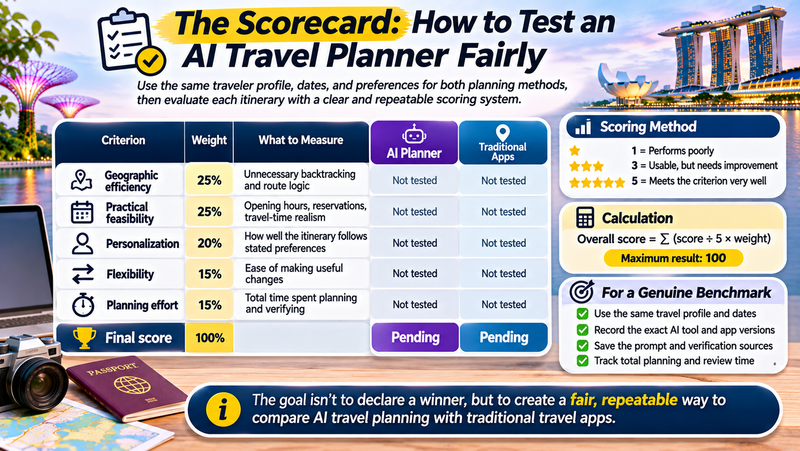
The Scorecard: How to Test an AI Travel Planner Fairly
A meaningful comparison needs a repeatable method.
Use the same traveler profile, dates, constraints, and attraction preferences for both planning approaches.
Then evaluate each itinerary against the following criteria.
| Criterion | Weight | What to Measure |
|---|---|---|
| Geographic efficiency | 25% | Unnecessary backtracking and route logic |
| Practical feasibility | 25% | Opening hours, reservations, travel-time realism |
| Personalization | 20% | How well the itinerary follows stated preferences |
| Flexibility | 15% | Ease of making useful changes |
| Planning effort | 15% | Total time spent planning and verifying |
Scoring method
Give each method a score from 1 to 5 for every criterion.
A score of 1 means the plan performs poorly.
A score of 3 means it is usable but needs improvement.
A score of 5 means it meets the criterion very well.
Calculate the weighted score:
Overall score = Σ (criterion score ÷ 5 × criterion weight)
The maximum result is 100.
Blank test matrix
| Criterion | AI Planner | Traditional Apps |
|---|---|---|
| Geographic efficiency | Not tested | Not tested |
| Practical feasibility | Not tested | Not tested |
| Personalization | Not tested | Not tested |
| Flexibility | Not tested | Not tested |
| Planning effort | Not tested | Not tested |
| Final score | Pending | Pending |
This distinction matters.
A comparison article shouldn’t invent numerical results simply to declare a winner.
For a genuine benchmark, record the exact AI model or service, app versions, travel dates, prompts, verification sources, and time spent.
Five Mistakes AI Travel Planners Can Make
Mistake 1: Overpacking the day
AI may recommend too many attractions because each suggestion sounds individually reasonable.
Fix: Set a maximum number of major activities per day and include rest periods.
Mistake 2: Underestimating travel friction
A route may look short on a map but involve transfers, station exits, queues, or difficult walking conditions.
Fix: Verify routes in a dedicated navigation app.
Mistake 3: Ignoring opening hours
An attraction may be closed, operating on reduced hours, or require advance booking.
Fix: Check official sources for the intended visit date.
Mistake 4: Treating recommendations as reservations
A suggested restaurant or attraction isn’t necessarily available.
Fix: Confirm availability through the actual provider before relying on the plan.
Mistake 5: Producing an itinerary that’s too rigid
Even an accurate schedule can become unpleasant when every hour is allocated.
Fix: Include optional activities and free time.
The Best Approach: Combine AI With Traditional Travel Tools
The most practical solution may not be choosing one method over the other.
It may be combining their strengths.
Step 1: Use AI for the first draft
Describe your interests, pace, accommodation area, budget, and travel constraints.
Ask for a route organized by neighborhood.
Step 2: Verify the geography
Open the proposed locations in a map.
Look for unnecessary detours and awkward connections.
Step 3: Confirm operational details
Use official attraction websites, transport services, and booking providers.
Step 4: Ask AI to revise the plan
Provide the verified details and ask for a cleaner schedule.
Step 5: Save the final itinerary offline
Keep your essential addresses, reservations, and directions accessible without an internet connection.
This workflow allows AI to handle much of the organization while specialized services provide critical verification.
Can AI Replace Google Maps or a Travel App?
Not completely.
An AI travel planner can help you decide what you want to do and how your activities might fit together.
A mapping service helps you understand where places are and how to travel between them.
An official attraction website helps confirm operating details.
A booking service helps establish whether a reservation is available.
These are different jobs.
A useful travel workflow doesn’t need one tool to perform all of them.
What About AI Travel Planning for Families?
Family travel makes itinerary personalization even more important.
Children may need shorter activity blocks, more frequent breaks, flexible meals, and alternatives when plans change.
An AI planner can help structure these preferences.
But it shouldn’t be trusted to invent age restrictions, accessibility details, safety conditions, or attraction availability.
For family itineraries, always verify practical requirements directly.
Shop&World Tip: When planning for children, ask for fewer attractions and more flexibility rather than simply adding child-friendly activities to an already crowded schedule.
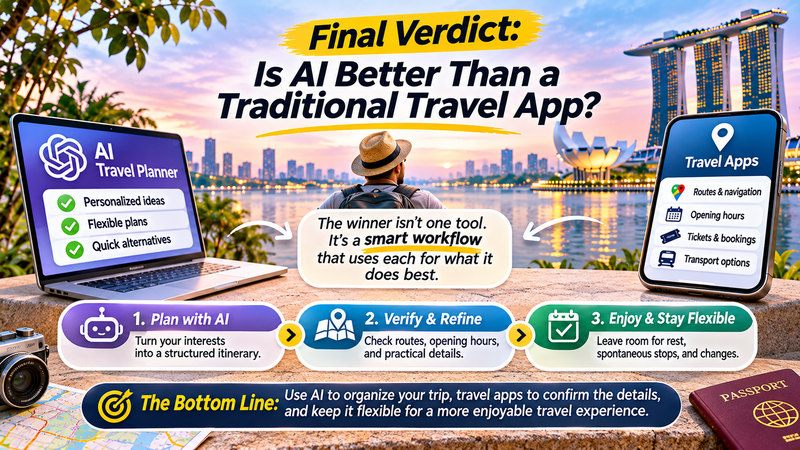
Final Verdict: Is AI Better Than a Traditional Travel App?
For creating a personalized first draft, AI can be extremely useful.
For verifying routes, opening hours, and operational details, specialized travel tools remain important.
Our Singapore case study illustrates why the distinction matters.
A good 48-hour itinerary isn’t the one with the longest attraction list.
It’s the one that fits the traveler, respects geographic realities, and remains practical when conditions change.
The best travel planner isn’t necessarily AI or a traditional app. It’s a workflow that uses the right tool for each decision.
Start with AI if you want help organizing ideas.
Use maps and official sources to validate the plan.
And leave enough free time to enjoy the city.
For more destination-specific preparation, explore our 10 Popular Cities and the Travel Gadget You’ll Actually Need in Each One guide.
Frequently Asked Questions
Can AI create a complete travel itinerary?
Yes. AI can generate a structured itinerary based on your destination, interests, budget, and available time. However, important details such as opening hours, transport schedules, and reservations should be verified.
Is an AI travel itinerary planner better than Google Maps?
They serve different purposes. AI can help organize and personalize a trip, while Google Maps is useful for checking locations, directions, and navigation.
What is the best way to use AI for travel planning?
Provide specific information about your accommodation area, trip duration, interests, travel pace, budget, and transportation preferences. Then verify the proposed itinerary with current sources.
Can AI plan a two-day city break?
Yes. A 48-hour trip is a useful format for AI-assisted planning because clear time limits help prioritize activities. The itinerary still needs realistic travel times and breaks.
Are AI-generated travel itineraries reliable?
They can be helpful starting points, but reliability depends on the tool, the information available to it, and whether its recommendations are verified.
Can AI help plan a Singapore itinerary?
Yes. AI can suggest neighborhood groupings, activities, and schedule alternatives. Travelers should verify MRT routes, attraction opening hours, ticket requirements, and weather-sensitive activities before departure.
Methodology disclosure: This article presents an illustrative 48-hour Singapore planning case study and a reproducible evaluation framework. It does not claim completed hands-on testing of specific AI products or travel apps. Scores are intentionally left blank until an actual controlled comparison is conducted.
Others Content
10 Popular Cities and the Travel Gadget You’ll Actually Need in Each One